 TrackerSonar
Find hidden AirTags and Bluetooth trackers near you
TrackerSonar is an iPhone, iPad and Android app that scans for AirTags, Tile, Samsung SmartTag, Chipolo and other Bluetooth trackers that may be following you, and shows you which devices need your attention. On iPhone and iPad, Live Locate then leads you to a hidden tag with a warmer/colder signal meter.

What is TrackerSonar?
TrackerSonar is a Bluetooth tracker detector made by Metko Labs. It listens for the Bluetooth signals that item trackers send out and recognizes many common types — Apple AirTag and other Find My accessories, Tile, Samsung Galaxy SmartTag, Chipolo, Pebblebee and Google Find Hub tags — so you can check your bag, your car or a hotel room for a hidden tracker in seconds.
It helps when you suspect that someone is tracking your location without your consent, after your phone has shown an unknown-tracker alert, or when you simply want to know which Bluetooth tags are around you. Each scan ends with a clear verdict — “No trackers found” or “1 possible tracker nearby” — and lists possible trackers first. The same finder also helps you locate your own earbuds or headphones nearby.
How it works
Three steps, about a minute.
Scan
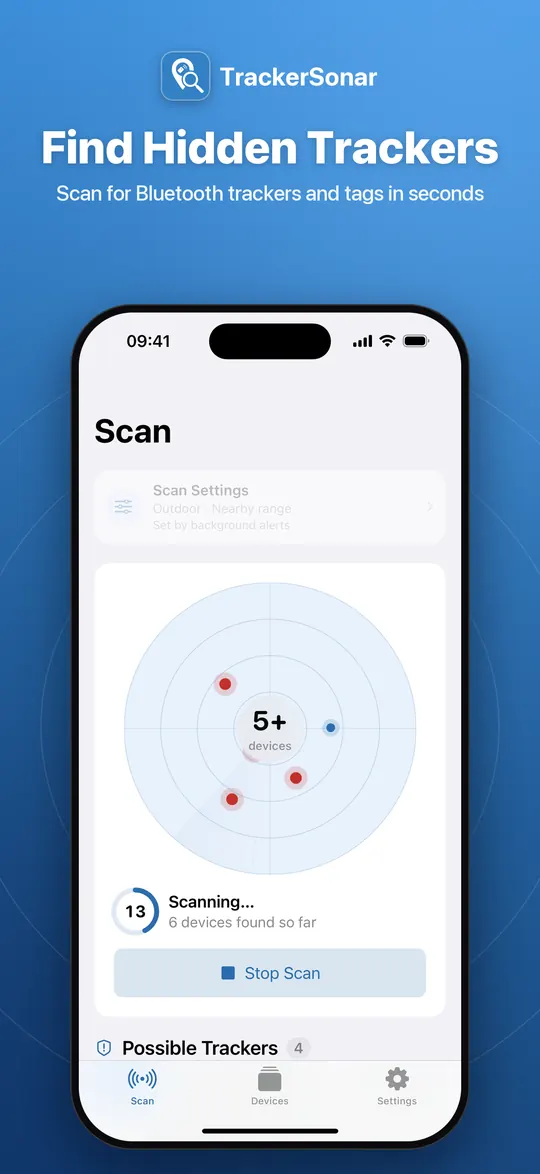
Tap Scan for Trackers. A live radar fills as nearby Bluetooth devices are found. Free scans run for 10 seconds, Premium scans for 30 seconds. Walk slowly through the space you want to check.
Review
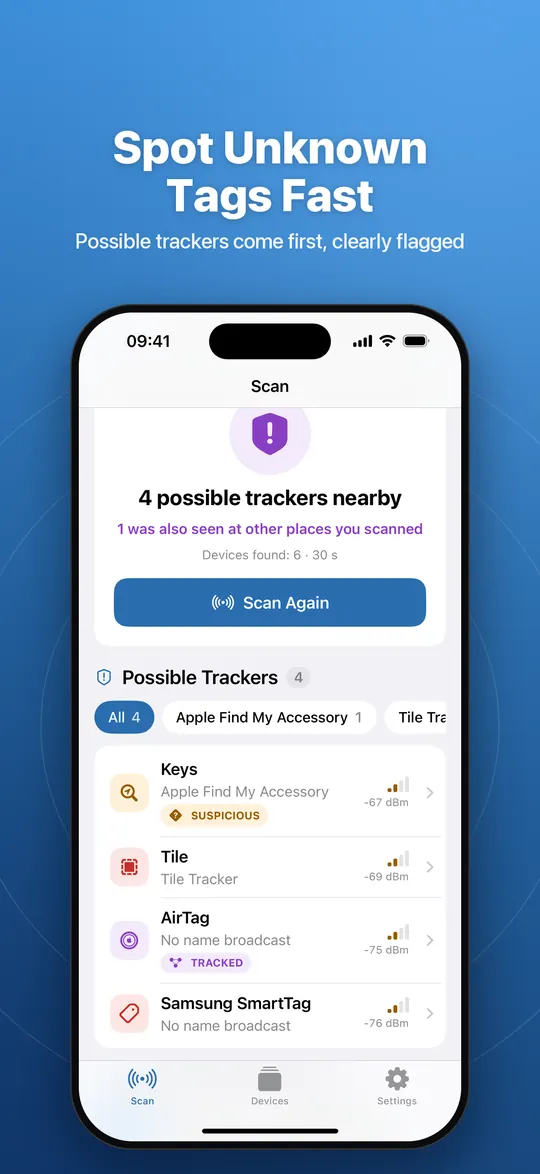
Possible trackers are listed first, followed by other Bluetooth devices such as AirPods. SUSPICIOUS marks tags that can be used to track people; TRACKED marks devices seen at several places you scanned.
Find
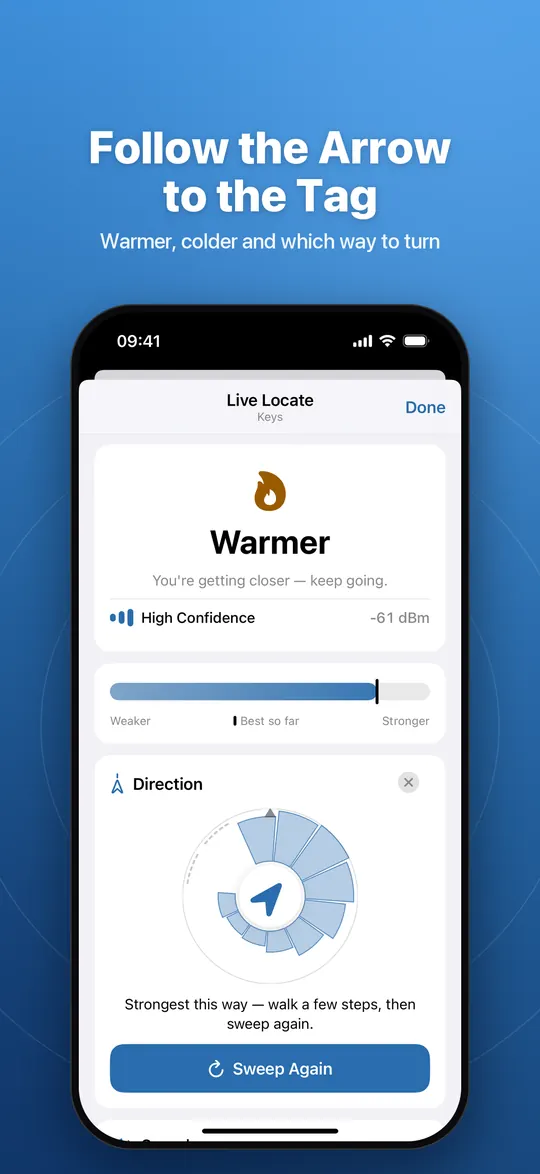
Open a device to see what it is and how strong its signal is. With Premium, Live Locate guides you warmer or colder, points you toward the strongest direction and can play a sound on supported tags.
Features
Everything you need to check for hidden trackers and find them. See all features in detail.
Scan for hidden trackers
Check your bag, your car or a hotel room in seconds and get a clear answer: “No trackers found” or “1 possible tracker nearby”.
See what needs attention
SUSPICIOUS marks tags that can be used to track people. TRACKED marks devices seen at several places you scanned.
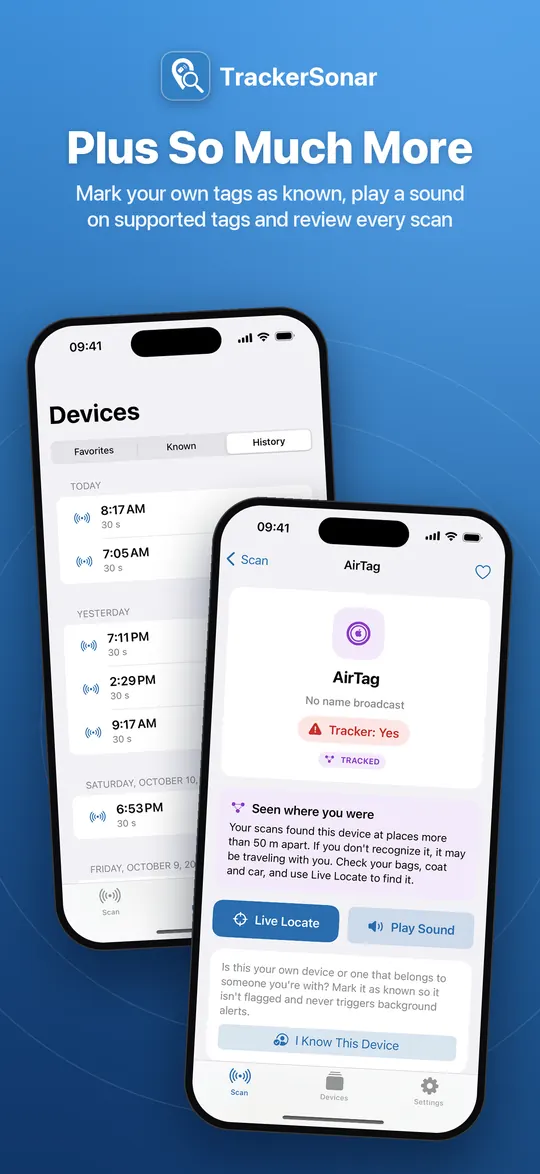
Find it with Live Locate Premium
A warmer/colder signal meter, haptic ticks and a direction sweep lead you to a tag hidden in a bag, coat or car.
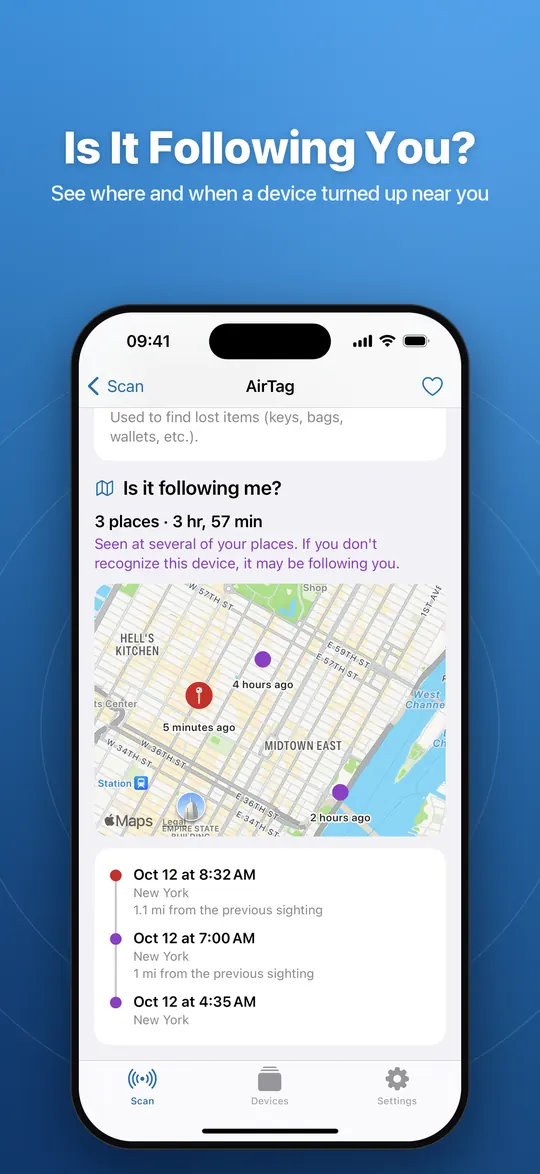
Is it following me? Premium
Every scan remembers where devices were seen. The sightings map and timeline show whether a device moves with you.
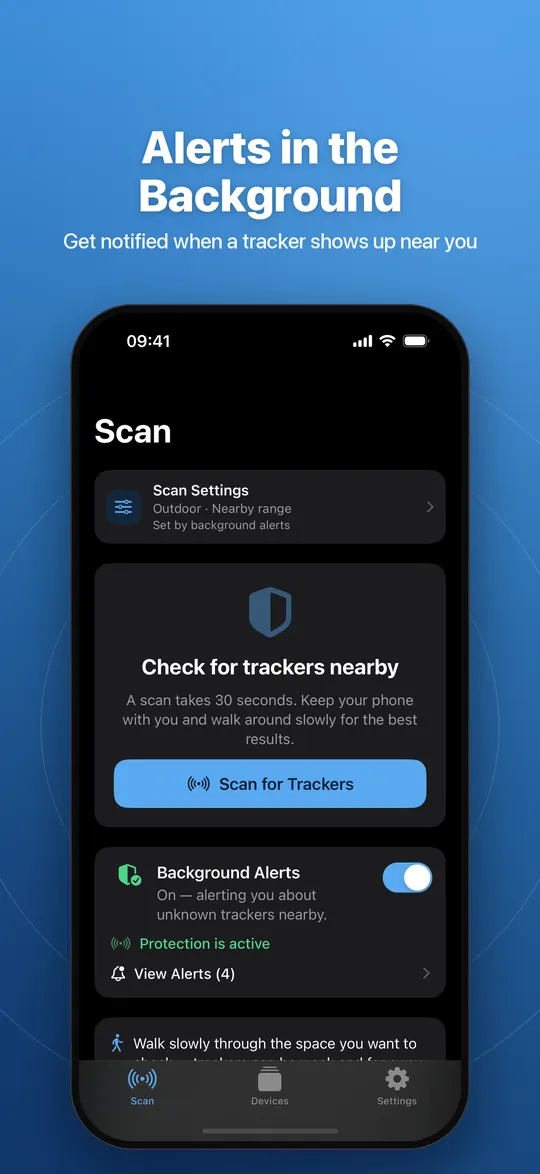
Alerts in the background Premium
Turn on continuous scan and get a notification when a tracker shows up near you. Widget and Live Activity included.
Known devices and history
Mark your own tags as known so they stop showing as suspicious, keep favorites and review your past scans.
Screenshots
TrackerSonar on iPhone. It is designed for iPad too, in portrait and landscape, light and dark mode.
Doesn’t my phone already warn me about AirTags?
Often, yes — and you should keep those alerts turned on. An iPhone with iOS 14.5 or later alerts you when an AirTag or Find My accessory that is separated from its owner is seen moving with you over time, and since iOS 17.5 it also covers compatible trackers from other brands. Android 6.0 and later has unknown tracker alerts and a manual scan.
Built-in alerts are designed to appear after a tracker has travelled with you for a while. TrackerSonar adds an on-demand scan on iPhone and iPad, a list of the trackers around you right now — including types your phone may not alert you about — and tools to physically find them. Read the honest comparison: built-in tracker alerts vs a scanner app.
Free vs Premium
| Feature | Free | Premium |
|---|---|---|
| Tracker scans | 5 free scans, 10 seconds each | Unlimited scans, 30 seconds each |
| Verdict and lists of possible trackers and other Bluetooth devices | Yes (device names partly hidden) | Yes, with full device names |
| SUSPICIOUS and TRACKED badges | Yes | Yes, plus the SAFE badge |
| Mark your own devices as known | Yes | Yes |
| Favorites | Unlimited | Unlimited |
| Scan history | Your 10 most recent scans | Complete history |
| Live Locate hot/cold finder with direction sweep | Not included | Yes |
| Play a sound on supported tags | Not included | Yes |
| Sightings map and “Is it following me?” timeline | Not included | Yes |
| Background scan with tracker alerts | Not included | Yes |
| Protection status widget and Live Activity | Not included | Yes |
| Adjustable scan settings (indoor/outdoor, range) | Not included | Yes |
| Ads | Yes | No ads |
Premium is an optional auto-renewable subscription (weekly, monthly or yearly) billed through your App Store account; current prices are shown in the app and on the App Store. You can restore purchases at any time in Settings. TrackerSonar is also available on Android, where features and pricing may differ.
Guides about unwanted trackers
Clear, carefully checked answers to the questions people ask when they fear a tracker is following them.
How to tell if someone is tracking you with an AirTag
The four warning signs, how iPhone and Android alerts work, and a 10-minute self-check.
How to find a hidden AirTag or Bluetooth tracker
Play a sound, follow the signal, and search a car, bag or clothes step by step.
What to do if you find a tracker following you
Safety first, document the evidence, identify the tag, decide about disabling it and contact the police.
AirTag vs Tile vs SmartTag vs Chipolo: how each can be detected
Which networks they use, which phones warn you about them and how a scanner sees them.
Built-in iPhone and Android tracker alerts vs a scanner app
An honest comparison: when built-in alerts are enough and what a dedicated app adds.
Frequently asked questions
What is TrackerSonar?
TrackerSonar is a tracker detector app for iPhone, iPad and Android, made by Metko Labs. It scans for AirTags, Tile, Samsung SmartTag, Chipolo and other Bluetooth trackers that may be following you, flags the unknown ones and helps you find them.
Is TrackerSonar free?
TrackerSonar is a free download. On iPhone and iPad the free version includes 5 tracker scans of 10 seconds each, full scan verdicts, SUSPICIOUS and TRACKED badges, known devices and favorites, and shows ads. TrackerSonar Premium is an optional subscription that adds unlimited 30-second scans, Live Locate, the sightings map, background alerts and more, with no ads.
Which trackers can TrackerSonar detect?
TrackerSonar recognizes Apple AirTags and other Find My network accessories, Tile, Samsung Galaxy SmartTag, Chipolo, Pebblebee, Google Find Hub tags and trackers that follow the Apple–Google unwanted-tracking specification. It also lists other nearby Bluetooth devices such as AirPods. No app can guarantee to detect every tracker, especially ones that are switched off or don't use Bluetooth.
Does TrackerSonar work on Android?
Yes. TrackerSonar is also available on Android through Google Play, where it is listed as “Tracker Detect”. This website describes the iPhone and iPad app in detail; features and pricing on Android may differ.
Can TrackerSonar tell me who owns a tracker?
No. A Bluetooth scan cannot reveal who owns a tracker. For an AirTag, holding it near an iPhone or NFC-capable Android phone shows its serial number and the last four digits of the owner's phone number, and police can request owner information from Apple. See what to do if you find a tracker.
Does TrackerSonar upload my location?
No. Scan results, the places where devices were seen, favorites and known devices are stored only on your device; TrackerSonar has no accounts and no server of its own. The free version uses Google AdMob for ads and the app uses Firebase for usage statistics and crash reports, as described in the privacy policy.
Check for hidden trackers now
Download TrackerSonar and scan your surroundings in seconds. Available for iPhone and iPad on the App Store and for Android on Google Play.
If you feel you are in danger: go to a safe, public place and contact local emergency services (for example 911 in the US, 112 in the EU, 999 in the UK or 000 in Australia). Think before you disable or throw away a tracker: it can be evidence, and once it is disabled its owner stops getting location updates, which they may notice.